Crossing Keeper

Crossing Keeper

Hands-free level crossings for your signalling sim.

Crossing Keeper works with SimSig's Interface Gateway to lower, clear and raise manually-controlled crossings for you, so you can get on with running the railway.

Download for Windows

Requires Windows and the .NET 8 Desktop Runtime

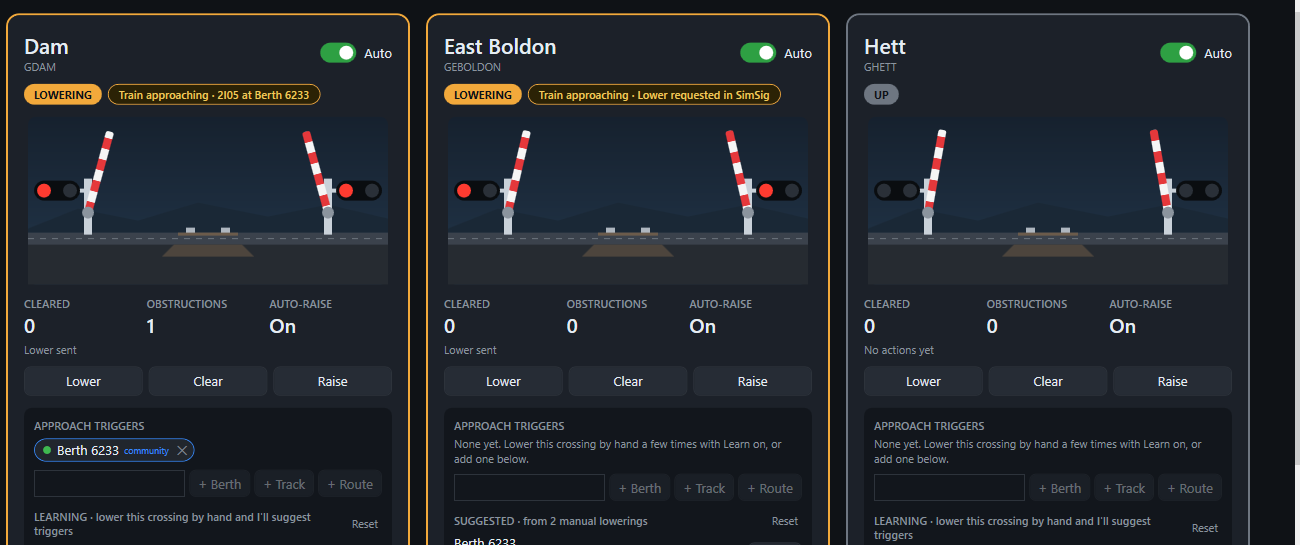
Crossing Keeper showing three crossing cards. Two are lowering with red lamps flashing as a train approaches; the third is up.

What it does

Automatic lower and clear

When a train approaches, the barriers come down. Once they are down and the road is empty, Crossing Keeper clears the crossing so the protecting signal can clear. Afterwards it switches on auto-raise to bring the barriers back up.
Obstruction handling

If something is on the crossing, Crossing Keeper raises the barriers, waits until they are fully up, lowers them again and repeats until the crossing clears. Retries scale with game speed.

Community triggers

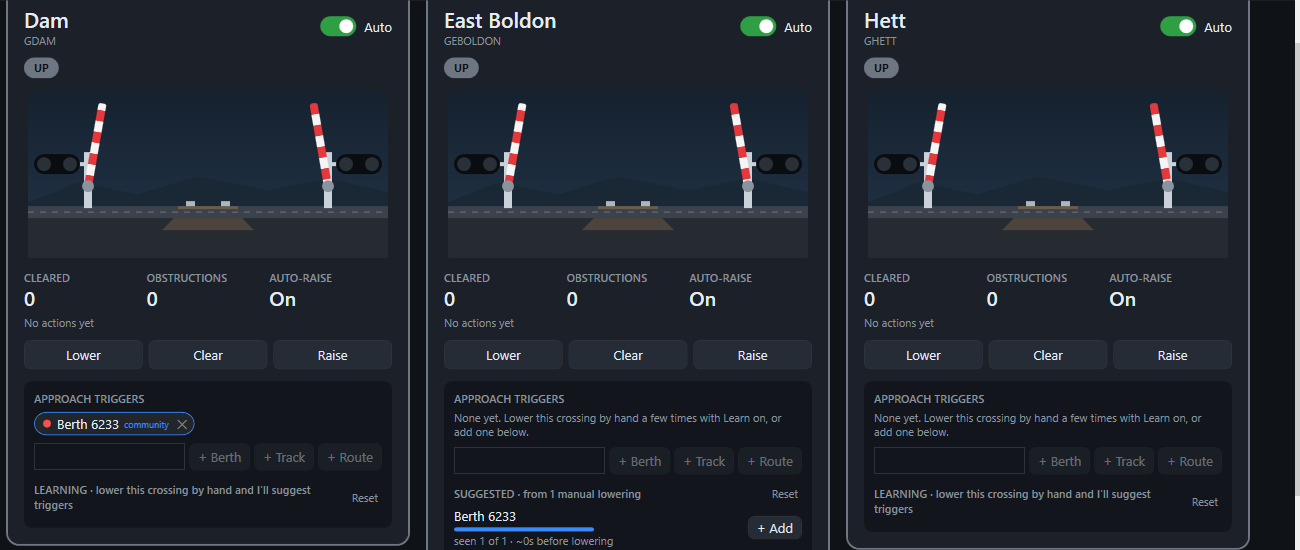
Pick the berth, track or route that starts each crossing. Learn mode suggests triggers from your own manual lowerings, and approved community triggers are shared automatically. It works fully offline too.

Crossing cards with approach triggers, including a community trigger chip and a learned suggestion with an Add button.

Each crossing has its own approach triggers, status and manual controls.

How sharing works

Sharing is on by default and helps everyone find good triggers. When a crossing lowers, Crossing Keeper sends the crossing and trigger IDs and timings, along with your SimSig username, a random install ID and the app version. It never sends passwords, and never your gateway host or port.

You can turn it off at any time with the Share switch in the top bar. Any data not yet sent is deleted when you switch it off. The app keeps working fully offline.

Get Crossing Keeper

Download

Requires Windows and the .NET 8 Desktop Runtime